
THM News
Salem Media GroupNews & Magazines
4.6236.00 Reviews
- Version
- 1.2.14
- Installs
- 10.00K
- Age Rating
- Everyone
Screenshots


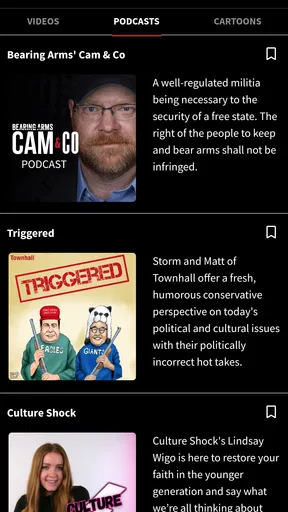
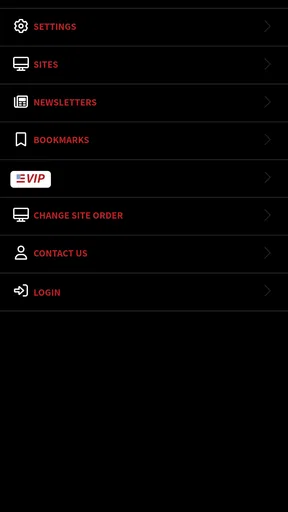
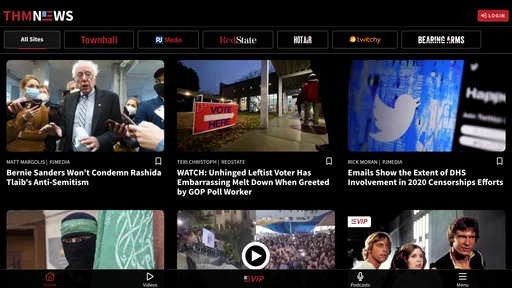
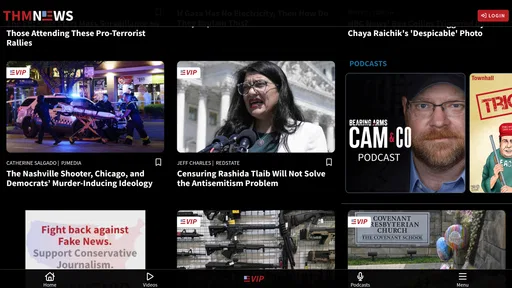
Our Review of THM News
 Analysis by Appyee
When I want a quick way to follow opinion-led American news rather than a broad mix of international headlines, THM News gives me a focused place to start. It is a free News & Magazines app from Salem Media Group, built around a conservative editorial perspective and presented as an unfiltered source for that audience. That focus is its main attraction, but it is also the first question I would ask before installing it: do you want a clearly defined viewpoint, or are you looking for a wider and more neutral news reader?
I approached it as an everyday news app rather than something I would leave open all day. The useful test is whether it helps me check the stories I care about quickly, remain comfortable during a longer reading session, and recover without frustration when I return later. My overall impression is that THM News is most valuable as a perspective-specific news companion, not as the only app responsible for giving me a complete picture of current events.
What the app is designed to do
The identity of THM News is unusually clear. Salem Media Group is the developer, and the app sits in the News & Magazines category rather than trying to present itself as a general-purpose browser or social network. Its store summary describes it as “Your Unfiltered Conservative News Source,” while the shorter store description simply identifies it as THM News. In practical terms, that means the editorial angle is not a minor detail hidden behind a large collection of unrelated tools; it is the reason many people will download it.
I see that clarity as a strength for readers who already know what kind of coverage they want. Instead of opening a broad aggregator and sorting through many sources, you can use this app when you specifically want conservative commentary and news selection in one place. It can also be useful as a second viewpoint beside a mainstream newspaper app, public broadcaster, or wire-service reader. That combination is more informative than expecting one editorial lens to cover every angle by itself.
The app is free to install and is marked for Everyone, which makes trying it straightforward. It was released on November 7, 2023, and the current version is 1.2.14. Its Android requirement is version 7.0 or later, so compatibility should include many older phones as well as newer devices. There are in-app purchases listed at $89.99 per item, so I would still check the purchase screen carefully before confirming anything that appears behind an optional paid action. The free entry point is appealing, but “free” does not mean every possible part of the experience should be treated casually.
The app has an average rating of 4.6 from around 2.6 thousand ratings, with more than two hundred written reviews, and it has passed ten thousand installs. Those figures suggest a positive response among its audience, although they should be read in context: a focused political news app naturally attracts people who are already interested in its editorial direction. I would not use the rating alone to decide whether its viewpoint suits me.
How quickly it fits into a daily routine
For a news app like this, perceived speed is less about demanding graphics and more about how quickly I can move from opening the app to finding something worth reading. THM News benefits from having a narrow purpose. I am not approaching it as a large social platform full of unrelated feeds, so the mental effort of deciding what to do next can be lower. A short morning check, a midday look at developing stories, or an evening scan can all make sense without turning the app into a permanent distraction.
My practical advice is to use it with a specific intention. Open it when you want to catch up on the app’s selected coverage, read one or two pieces, and then close it. That habit makes the experience feel more efficient than endlessly refreshing a news stream. If you want a single screen containing local updates, weather, sports, international reporting, business data, and multiple political viewpoints, this is not the kind of focused tool I would choose first.
Speed expectations should also be realistic. News content depends on connectivity and on how frequently the publisher updates its material, so the app should not be judged like an offline notes tool. A weak mobile signal, crowded public Wi-Fi, or a temporarily busy service can make any news reader feel slow. I would avoid drawing conclusions from one delayed opening and instead judge whether the app remains usable across the places where I normally read: at home, during a commute, and in a low-signal building.
What happens during heavier reading sessions
The heavier moments are not likely to be intense in the gaming sense. They are more likely to happen when I open several stories in succession, move back and forth between headlines and articles, or keep the app available while checking updates throughout the day. That is where a news reader proves whether its basic navigation feels dependable. I pay attention to whether returning to the app feels predictable, whether I lose my place, and whether reading becomes more tiring than it needs to be.
A useful workflow is to separate quick scanning from serious reading. I would first skim the available headlines, then choose only the articles that deserve attention. This reduces repetitive loading and prevents a focused news app from becoming another source of information overload. For longer pieces, I prefer to finish one article before jumping through several others. That approach is especially sensible if I am using an older phone or a connection that is not consistent.
Another non-obvious trade-off is that editorial focus can make an app feel both lighter and narrower. The benefit is less searching for the type of commentary I opened it to find. The cost is that I may need another source immediately afterward to check opposing arguments, international context, or reporting outside the app’s main political lane. I would treat that extra step as part of a responsible reading routine rather than a defect that can be solved by installing one more feature.
If I were using it during a busy day, I would avoid relying on it as my emergency source for a rapidly changing event. A dedicated news app can be convenient, but a single publisher’s selection may not provide the breadth or verification process I want when the stakes are high. For important stories, I would compare the article with a separate established source before sharing it or making a decision based on it.
Reliability, returning to the app, and reading with care
Reliability has two sides here. The first is technical: can I open the app, move through its content, and resume reading without unnecessary friction? The second is editorial: can I understand what kind of source I am reading and remember that its selection reflects a particular viewpoint? THM News is easier to evaluate on the second point because its conservative identity is explicit. That transparency is preferable to an app that presents a strong editorial position while pretending to be completely neutral.
When I return to a news app later, I want a simple sense of where to begin. I would not assume that an article I saw earlier will remain in exactly the same place, especially during a fast-moving news cycle. My own workaround is to note the headline or finish an article in one sitting instead of treating the feed as a permanent bookmark system. That small habit makes the app more dependable for me, even when the news itself is changing quickly.
There is also a reliability issue that no app can solve by itself: headlines can encourage fast reactions. I would read beyond the title, check the publication context, and distinguish reporting from commentary before passing a story along. This matters particularly with political content, where a concise headline can leave out the detail that changes how an event should be understood. THM News can be useful for discovering stories and arguments, but I would not confuse convenient access with a complete fact-checking process.
For readers who ask whether it can replace a newspaper subscription, my answer is no—not automatically. It may replace the need for one particular conservative news feed if that is the perspective you want, but a broader news routine still benefits from local reporting, international coverage, and sources with different editorial approaches. I would use THM News as one deliberate part of that routine rather than as my only window onto the world.
Older phones, compatibility, and practical device limits
The minimum Android requirement of 7.0 is helpful because it does not force users onto a very recent operating system. Someone with an older but still serviceable phone may be able to try it without upgrading hardware first. That said, operating-system compatibility is only the starting point. Available storage, background activity from other apps, battery condition, and the quality of the network can all affect how comfortable a reading session feels.
On a small screen, political articles can become tiring if I read for a long time, especially when I am switching between the app and another source to compare coverage. I would use a larger phone or tablet when I plan to read several detailed pieces, while keeping the app on my phone for short checks. This is not a criticism unique to THM News; it is a practical limitation of reading substantial news content on compact hardware.
Resource demands are also best considered in terms of habits rather than imagined benchmarks. A brief headline check should be a modest task for a modern smartphone, while leaving any news app open for hours and repeatedly refreshing content is a less efficient pattern. If battery life matters to me, I would open the app intentionally, read what I need, and exit instead of treating it as a continuously running dashboard.
People with limited data should be equally deliberate. I would prefer a stable Wi-Fi connection for extended reading and avoid repeatedly reopening the same stories on a mobile plan. Since the app’s purpose is current news, I would not assume that every part of the experience is designed for offline use. Planning around connectivity is more sensible than expecting a live news source to behave like a downloaded magazine.
Who will get the most from THM News
I would recommend it to a reader who actively wants conservative news and commentary, understands that editorial framing matters, and prefers a dedicated destination over a general feed. It also makes sense for someone building a comparison habit: read a story here, then check how a different publication presents the same event. That use turns the app’s strong viewpoint into a useful contrast rather than allowing it to become the only voice in the routine.
A realistic example would be a commuter who has ten minutes before work. I would open the app, scan the latest selection, read one article that affects the day’s political conversation, and then compare its key claim with a broader news source before discussing it. At lunch, I might return for updates, but I would avoid repeatedly refreshing just to chase every new headline. Used that way, the app provides focus without taking over the entire day.
I would tell a different friend to skip it if they want a politically mixed aggregator, local-first reporting, international breadth, or a strictly neutral presentation. A person who dislikes commentary with a clear conservative identity may find the app’s central purpose uncomfortable rather than useful. Likewise, anyone seeking a full replacement for several specialized news services will probably need a broader alternative alongside it.
The purchase information is another reason to stay attentive. The app is free to download, but in-app purchases are listed at $89.99 per item. Before accepting any paid option, I would read the wording on the purchase screen and confirm that it matches what I actually want. That is a simple precaution, but it matters when an app has a free starting point and optional transactions.
My performance verdict
After considering speed expectations, longer reading sessions, reliability, and device constraints, I see THM News as a focused tool with a clear audience. Its strongest performance characteristic is not a promised technical benchmark; it is the way its defined editorial purpose can shorten the path from opening the app to finding the kind of coverage I came for. That advantage disappears if I want a broad, balanced news ecosystem in one place.
The app is best when I use it intentionally: check the latest selection, read with attention, compare important claims elsewhere, and avoid treating a single viewpoint as the entire news picture. Its free price and Android 7.0 compatibility make experimentation easy, while the Everyone age rating keeps the entry requirements simple. The positive 4.6 average and growing install base are encouraging signs, but personal fit depends more on whether its conservative editorial direction matches my needs.
My final recommendation is therefore qualified but positive. THM News is worth trying for readers who want a conservative-focused news source and can place it inside a wider information routine. I would not choose it as my only news app, and I would not recommend it to someone seeking neutrality or maximum subject coverage. For the right reader, though, its clear identity makes it easier to use with purpose—and that is more valuable than pretending every news app serves every audience equally well.
Verdict
Strengths of THM News
- Covers local, national, and international news in one app.
- Articles are organized into clear sections for quick browsing.
- Useful for checking headlines without opening a web browser.
- Regular updates help keep users informed throughout the day.
- Simple layout makes the app accessible for casual readers.
Limitations of THM News
- Some stories may offer limited background or in-depth analysis.
- News availability can vary depending on the selected region.
- Frequent updates may make the feed feel repetitive at times.
- The app may require notifications to be managed manually.
- Content preferences may be less customizable than in larger news apps.
Other Releases by Salem Media Group
View All
Daily Bible Study: Audio, Plan
Books & Reference4.6

King James Bible Study KJV
Books & Reference4.6

Daily Bible Devotion & Prayer
Books & Reference4.6

Salem News Channel
News & Magazines4.2
Similar Picks in This Category
View All
Google News - Daily Headlines
Google LLC4.0

X
X Corp.4.8

Flipboard:Your Social Magazine
Flipboard3.4

Opera News: breaking & local
Opera4.5

Hindi News by Dainik Bhaskar
Dainik Bhaskar Group4.0

Way2News Daily News App
Way2News ( Formerly Way2SMS )4.6
Frequently Asked Questions
What is THM News, and what type of content does it provide?
THM News is a news-focused application designed to help users follow current events and read articles from a mobile device. Depending on the available edition and region, it may cover topics such as local and international news, politics, business, technology, entertainment, sports, and lifestyle. Before downloading, check the app description and publisher information to confirm which categories and locations are supported.
Is THM News free to download and use?
THM News may be available to download at no initial cost, but the exact access model can depend on the platform, region, and publisher. Some content may be completely free, while other articles or features could require registration, a subscription, or contain advertising. It is recommended to review the Google Play Store or Apple App Store listing for current pricing, in-app purchase details, and any subscription terms before installing.
Does THM News require an internet connection?
Yes, THM News generally needs an internet connection to load the latest headlines, refresh articles, display images, and retrieve updates from its news servers. It should work over Wi-Fi or mobile data, although streaming images and frequent refreshes may increase data usage. If the application offers saved articles or offline reading, those features may be limited and should not be assumed unless clearly stated in the official listing.
What permissions and personal information does THM News request?
The permissions required by THM News can vary according to the operating system and installed version. A news app may request network access, notifications, storage access for saved content, or permission to use advertising and analytics services. Before accepting, review the permissions shown during installation and read the publisher’s privacy policy. Avoid granting optional access that is unrelated to reading news or receiving alerts.
Can I receive breaking-news notifications and personalize the content?
THM News may provide notifications for breaking stories, new articles, or selected topics, but the available controls depend on the version of the app. After installation, look in the settings for notification preferences, topic selection, language, region, and alert frequency. If you prefer a quieter experience, notifications can usually be disabled through the app or your device settings without removing access to the articles themselves.
